13. Custom Action
ในบทนี้เราจะเรียนรู้การสร้าง Action แบบกำหนดเอง (Custom Action) ซึ่งเป็นกลไกการสื่อสารระหว่างโหนด (Node) ที่ออกแบบมาสำหรับ งานที่ใช้เวลานานและต้องรายงานความคืบหน้า (progress) เช่น หุ่นยนต์เคลื่อนที่ไปยังเป้าหมาย, แขนกลกำลังหยิบวัตถุ, หรือระบบนับเวลาการทำงาน
13.1. สร้าง ไฟล์ .action
เปิด VS Code ขึ้นมา สร้างโฟลเดอร์ action
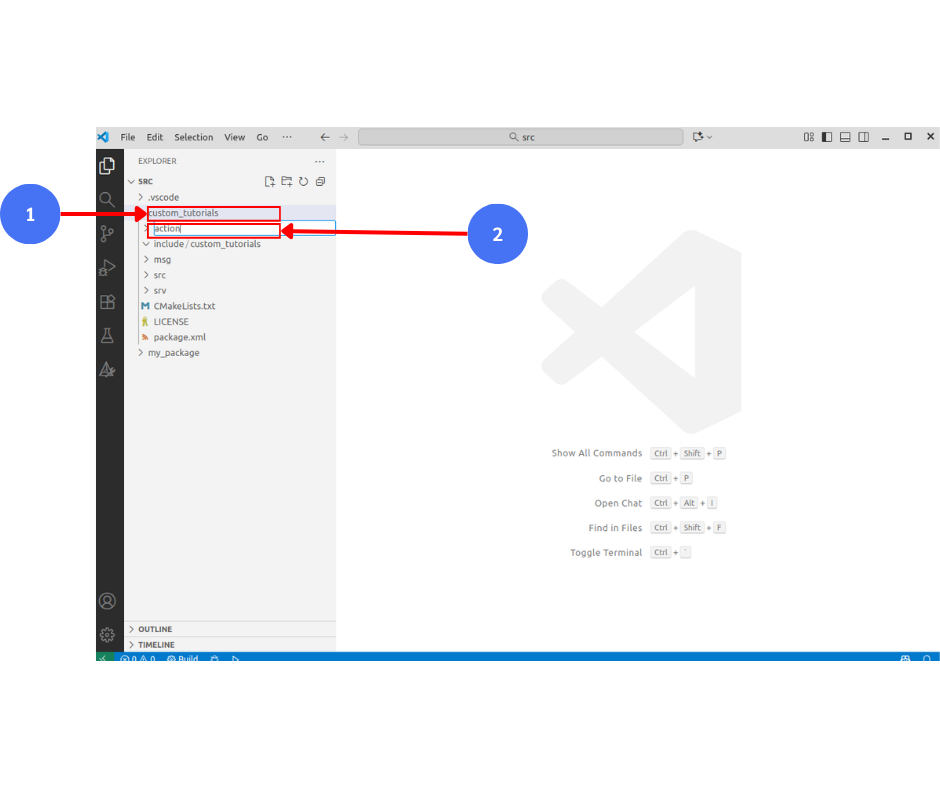
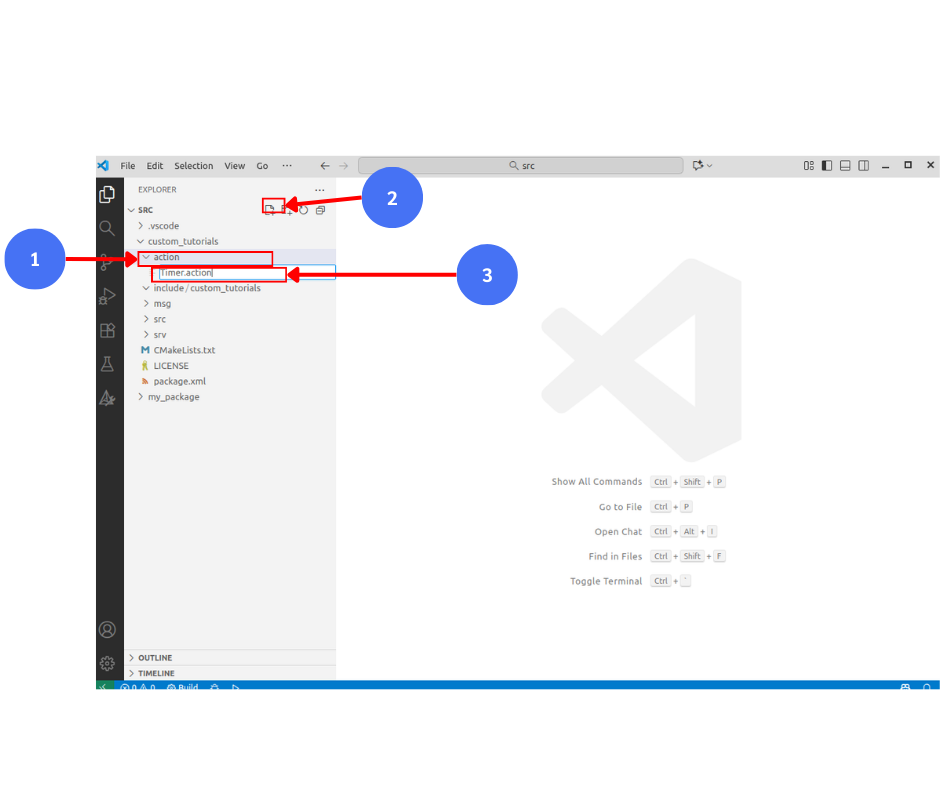
สร้างไฟล์ Timer.action
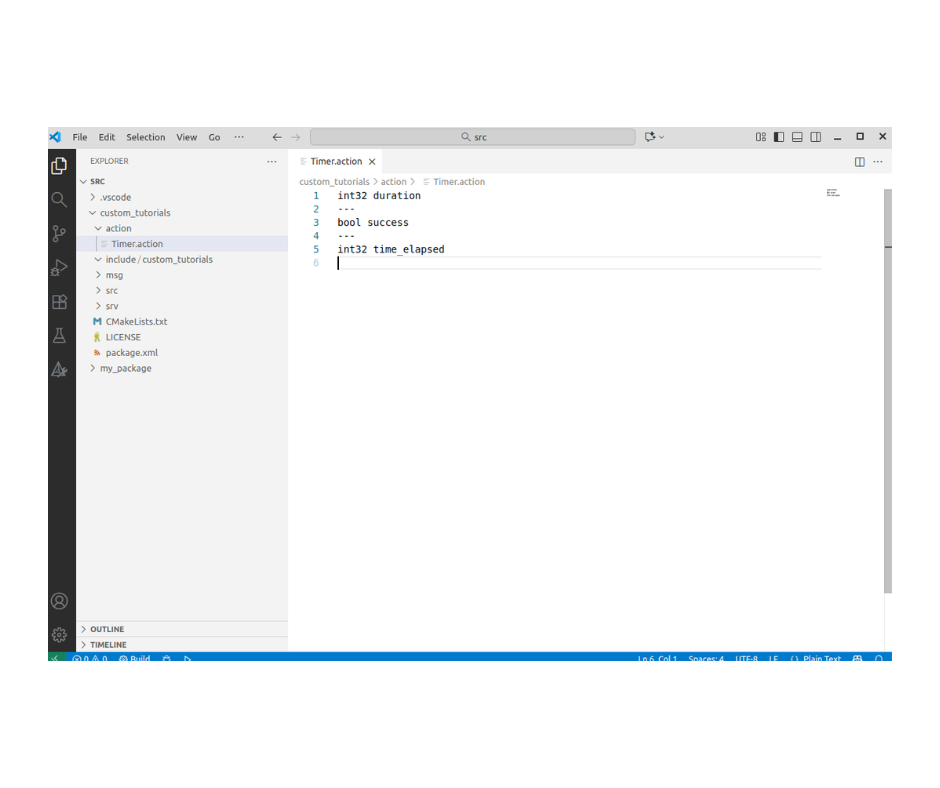
เพิ่มเนื้อหาในไฟล์ Timer.action
int32 duration
---
bool success
---
int32 time_elapsed
เพิ่มเนื้อหาใน CMakeList.txt
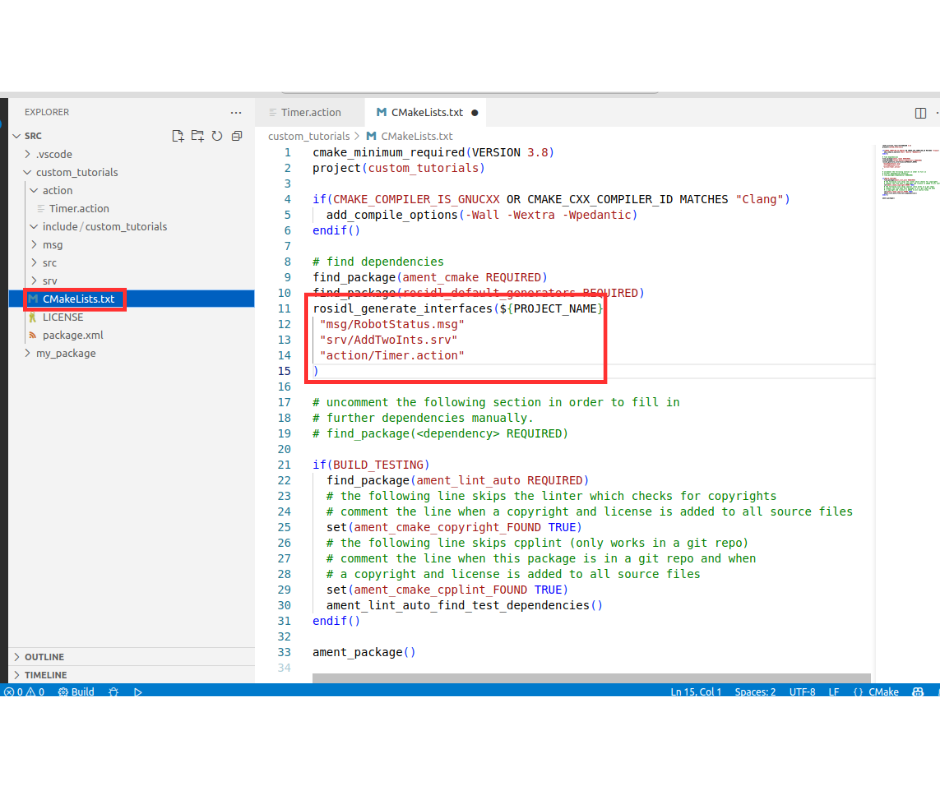
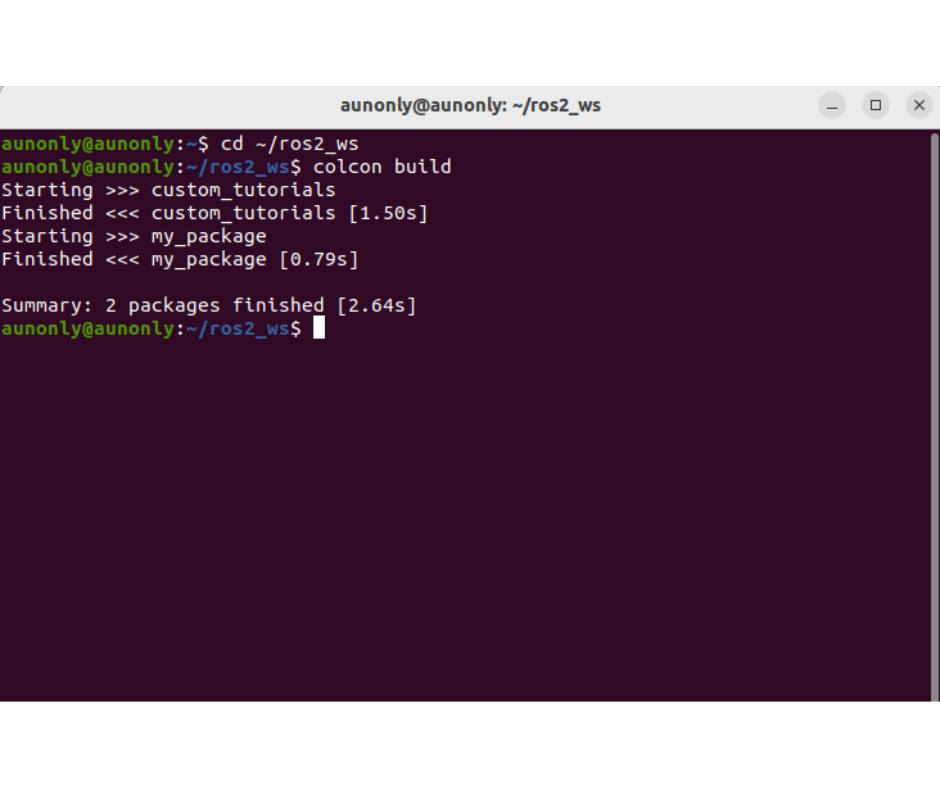
เปิด Terminal ขึ้นมา เพื่อทำการ คอมไพล์
cd ~/ros2_ws
colcon build
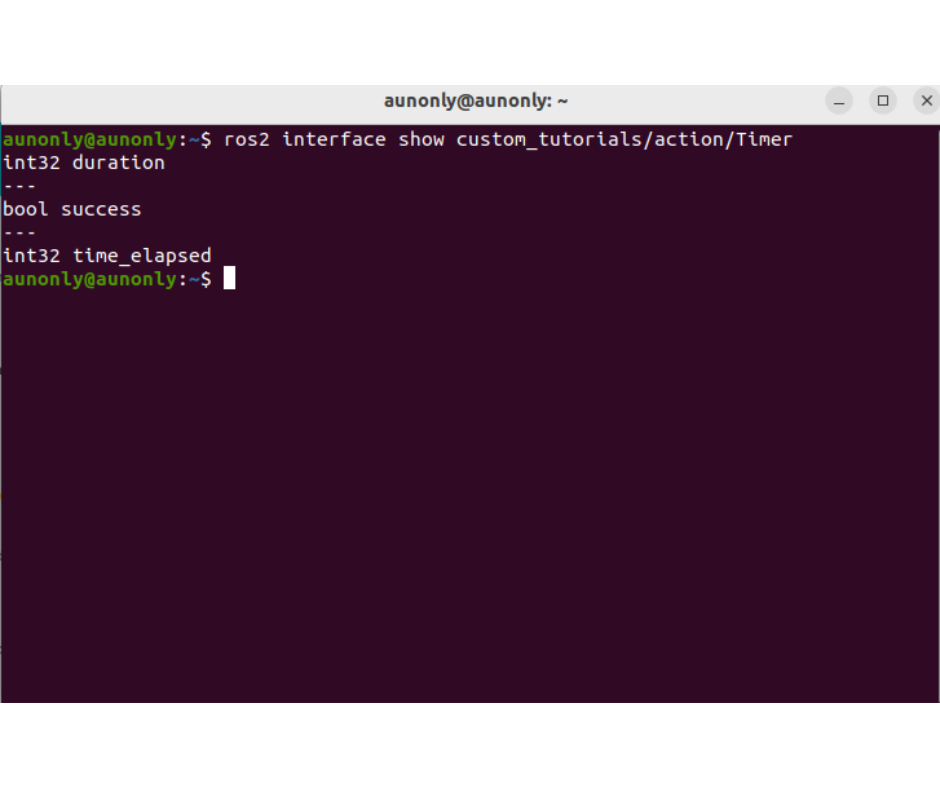
ตรวจสอบว่า action ถูกสร้างสำเร็จ
ros2 interface show custom_tutorials/action/Timer
13.2. ทดลองใช้ Custom Action ที่เราสร้างไว้ (Timer.action)
สร้าง โหนด timer_action_server.py และ timer_action_client.py ภายใน my_package
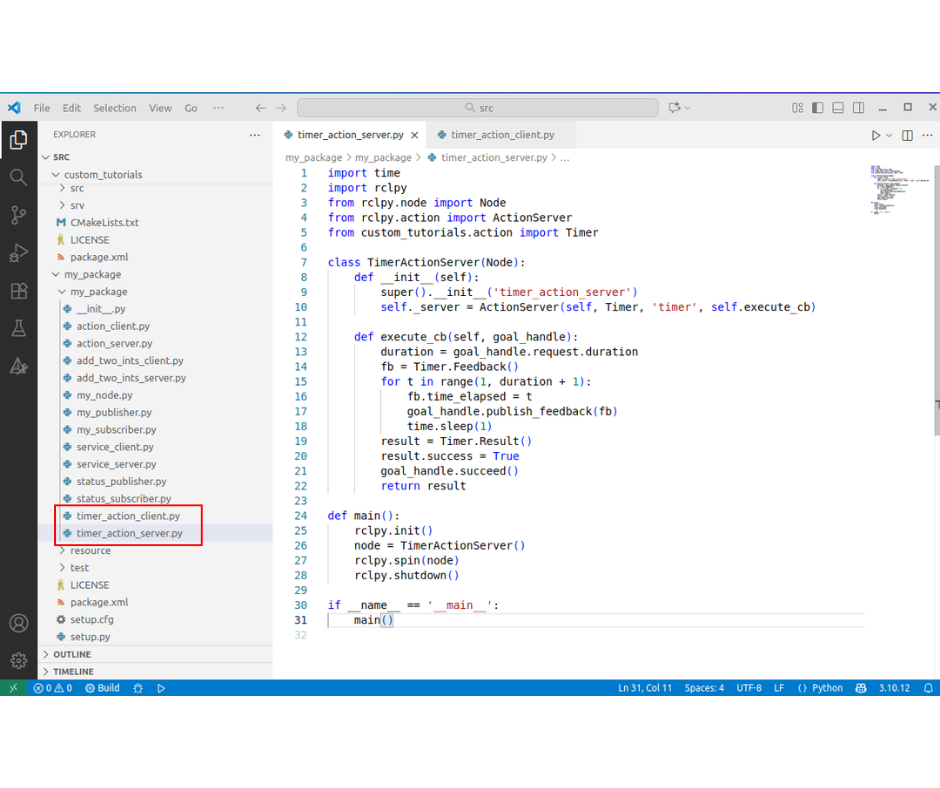
ตัวอย่างโค้ด timer_action_server.py
import time
import rclpy
from rclpy.node import Node
from rclpy.action import ActionServer
from custom_tutorials.action import Timer

class TimerActionServer(Node):
    def __init__(self):
        super().__init__('timer_action_server')
        self._server = ActionServer(self, Timer, 'timer', self.execute_cb)
        self.get_logger().info('Timer action server started')

    def execute_cb(self, goal_handle):
        duration = goal_handle.request.duration
        fb = Timer.Feedback()
        for t in range(1, duration + 1):
            fb.time_elapsed = t
            goal_handle.publish_feedback(fb)
            time.sleep(1)
        result = Timer.Result()
        result.success = True
        goal_handle.succeed()
        return result

def main():
    rclpy.init()
    node = TimerActionServer()
    rclpy.spin(node)
    node.destroy_node()
    rclpy.shutdown()

if __name__ == '__main__':
    main()
ตัวอย่างโค้ด timer_action_client.py
import rclpy
from rclpy.node import Node
from rclpy.action import ActionClient
from custom_tutorials.action import Timer

class TimerActionClient(Node):
    def __init__(self):
        super().__init__('timer_action_client')
        self._client = ActionClient(self, Timer, 'timer')

    def send_goal(self, duration):
        self._client.wait_for_server()
        goal = Timer.Goal()
        goal.duration = duration

        # 1. Capture the future and add a callback for the goal response
        self._send_goal_future = self._client.send_goal_async(goal, feedback_callback=self.fb_cb)
        self._send_goal_future.add_done_callback(self.goal_response_callback)

    def goal_response_callback(self, future):
        goal_handle = future.result()
        if not goal_handle.accepted:
            self.get_logger().info('Goal rejected :(')
            return

        self.get_logger().info('Goal accepted :)')

        # 2. Request the result and add a callback for when it completes
        self._get_result_future = goal_handle.get_result_async()
        self._get_result_future.add_done_callback(self.get_result_callback)

    def get_result_callback(self, future):
        # 3. Access the actual result object
        result = future.result().result
        self.get_logger().info(f'Result: {result}')
        raise SystemExit

    def fb_cb(self, fb_msg):
        self.get_logger().info(f'Feedback: time_elapsed={fb_msg.feedback.time_elapsed}')

def main():
    rclpy.init()
    node = TimerActionClient()
    node.send_goal(5)
    rclpy.spin(node)
    node.destroy_node()
    rclpy.shutdown()

if __name__ == '__main__':
    main()
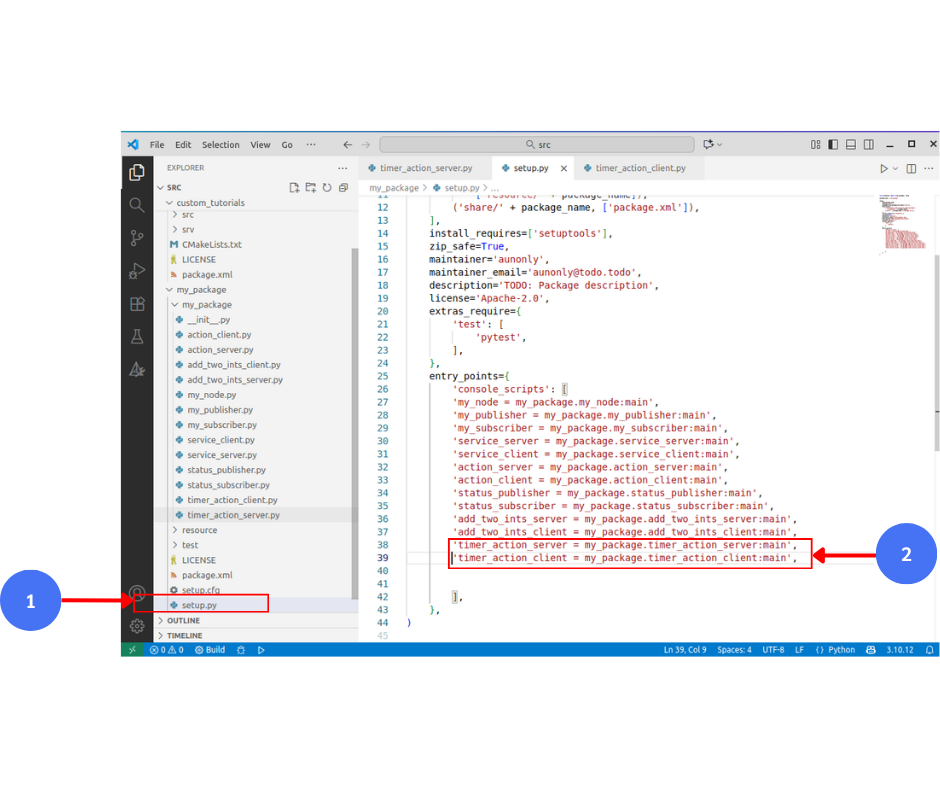
ตั้งค่า setup.py
'timer_action_server = my_package.timer_action_server:main',
'timer_action_client = my_package.timer_action_client:main',
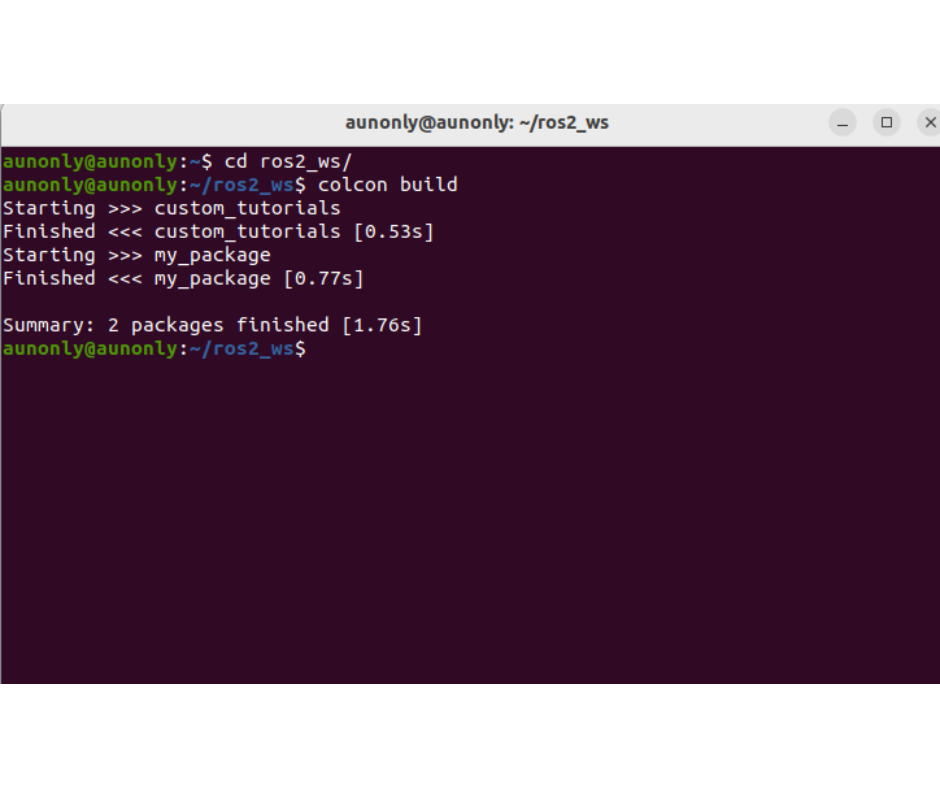
เปิด Terminal ขึ้นมา ทำการ คอมไพล์
cd ~/ros2_ws
colcon build
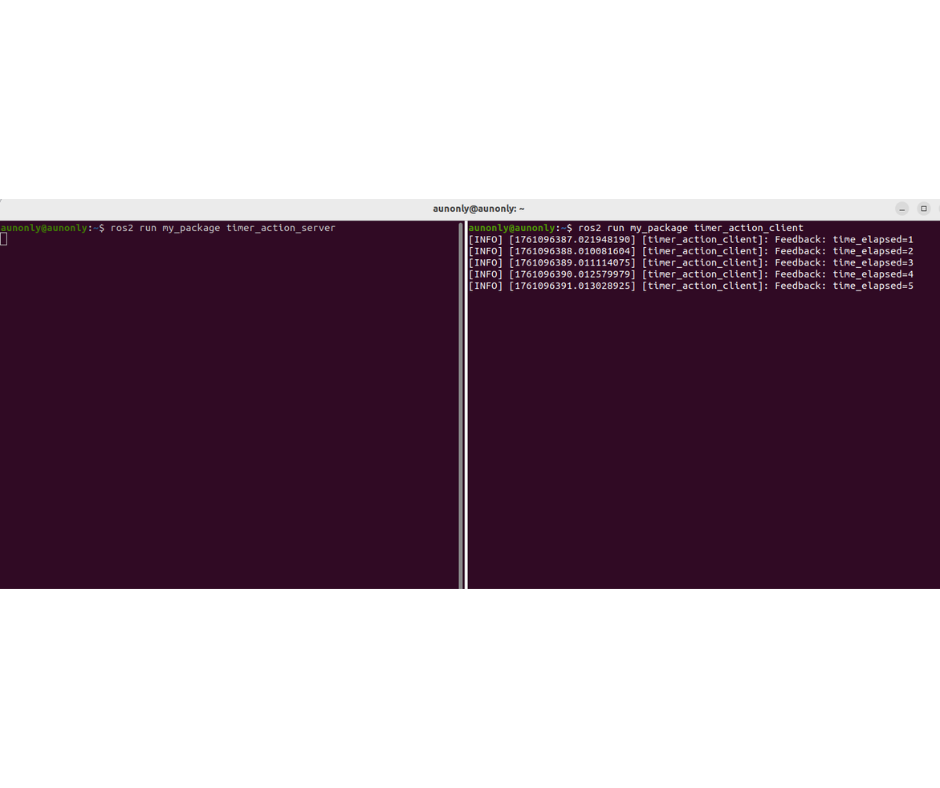
ทดสอบการทำงานของโหนด timer_action_server.py และ timer_action_client.py กับ Timer Action
ros2 run my_package timer_action_server
ros2 run my_package timer_action_client